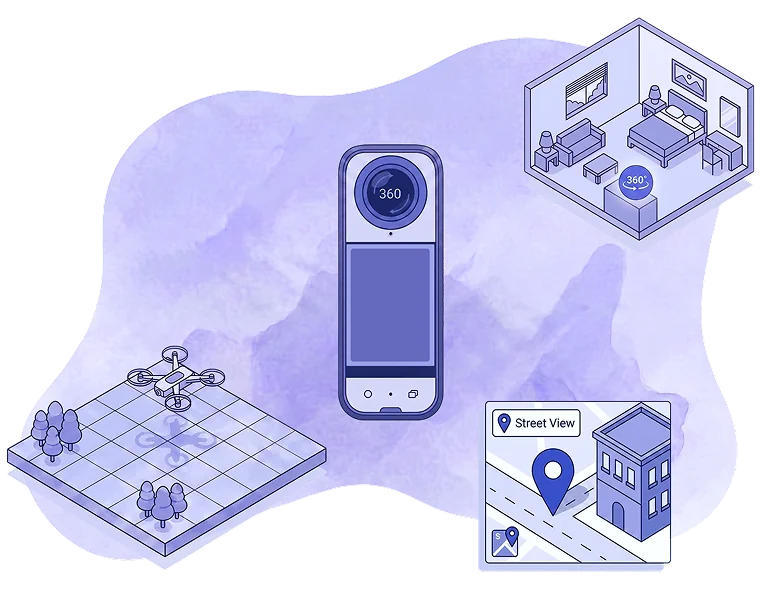
Who it's for
Real estate agencies, construction companies, architects, interior designers, 360 photographers, Google Street View agencies, hotels, schools, museums, industries, and more.
Create, customize and publish 360 virtual tours right in your browser. For real estate, architecture, interior design, hotels, schools, museums, industries, stores and events, with hosting and Google Street View integration.
Free plan available. No credit card required.
MeuPasseioVirtual is an online platform for creating 360 Virtual Tours from 360 panoramic photos or 3D renders. You upload the images, connect the spaces, and add hotspots, text, videos, audio, and floor plans. You can publish with a link, on your website, or on Google Street View. Everything works in your browser with no coding required, and tours can be viewed on computers, phones, tablets, and Virtual Reality (VR) headsets.
Real estate agencies, construction companies, architects, interior designers, 360 photographers, Google Street View agencies, hotels, schools, museums, industries, and more.
The process is very simple and you don't need to know how to code. Just upload your 360 images, connect the spaces, customize, and publish.
On any device with a screen (computer, phone, tablet) and Virtual Reality (VR) headsets, for in-person and remote presentations.
MeuPasseioVirtual in numbers
Data updated in 10/2026
360 virtual tours work for any business that needs to show a space remotely, from real estate agencies and builders to architects, photographers, and Google Street View agencies. It's fast and requires no technical knowledge.
Show finished and off-plan properties with 360 virtual visits that clients can access from anywhere. Use the tour in listings, on the agency website, at trade shows, and to track construction progress.
With just a few clicks, you upload your 360° images, connect the scenes, and publish the tour online.
Upload photographed or rendered panoramas in equirectangular format (2:1 aspect ratio). Organize scenes, floor plans, photos, audio, and other files in one place.

Connect scenes with navigation arrows and add hotspots with text, images, videos, and audio. Add your floor plan and your company logo.

Publish with a link, embed it on your website with an embed code, send it to Google Street View, or open it on computers, phones, tablets, and virtual reality headsets.

Drag to look in every direction and click the arrows to move between rooms.
Everything you need to create, customize and publish 360 virtual tours, right in your browser.
Explore all available features and discover every detail of each capability. Learn how to create, customize and publish your 360 virtual tours.
Your virtual tours open in a web browser on any device, with nothing to install.
Navigate with a mouse and keyboard in any current browser. All you need is an internet connection.
Explore by touch. Our mobile app lets you browse tours in offline mode (see subscription plans).
View the virtual tour in immersive mode, including on Cardboard-style headsets and the Meta Quest line.
Testimonials from clients who use the platform to present projects and spaces with more impact.
My experience with MeuPasseioVirtual has been great. It has several video tutorials explaining how to create and customize 360 Virtual Tours. Whenever I have questions, I get excellent support via WhatsApp.

Guilherme
Tozzi Imóveis
I love the platform! I never get tired of recommending MeuPasseioVirtual to my students in 360 photography courses and training. In my opinion, it's the best tool available today for creating 360 Virtual Tours.

Chan
WeArt
MeuPasseioVirtual helps me present the interior architecture projects I develop. Clients get a much more realistic view with the 360 Virtual Tour. The platform is excellent! Very simple, intuitive, practical and efficient.

Bruno Cezar Trindade
Architect
Quickly find answers to the most frequent questions about the platform.
Yes, there is a free plan with up to 5 virtual tours and 10 360 images per virtual tour. Subscriptions start at R$16.57 per month (on the annual plan), and you can also purchase individual tours on demand. Check each plan's limits on the plans page.
Yes, you need to take out a subscription plan. Any subscription plan removes the MeuPasseioVirtual logo and the advertisements.
Yes. At MeuPasseioVirtual we have subscription plans where you can choose monthly or annual payment. We provide a broad and robust infrastructure to securely host your 360 images and keep the virtual tours available for access. All this infrastructure grows over time and requires recurring investment.
With MeuPasseioVirtual, there's only the cost of the platform subscription. The total cost, however, can vary depending on the area of activity. Let's use real estate agencies and agents in the real estate market, and architects and interior designers in the architecture market, as examples.
Real estate agencies and agents need to acquire equipment to capture 360 photographs: a 360 camera, tripod and a compatible phone. Or, alternatively, consider hiring a photographer.
Architects, interior designers, custom furniture companies and 3D studios need to invest in 3D modeling software and renderers that generate 360 images. Sometimes, they also need to invest in computers.
Each sector needs to consider its own variables. In general, however, this cost is always less than the return generated from prospecting, lead generation, sales, time savings, fewer visits, eliminating rework, faster client approvals, and more.
Yes, because it's a permanent digital asset.
Using virtual tours as an online portfolio, they keep generating visits, website traffic, interest and conversions for months or years, with no recurring operational costs like physical visits or a dedicated team.
If you receive clients at the office, visit clients' homes, or attend trade shows and events, you can have the virtual version of your properties or projects on hand. And the presentation can be done in an immersive way, with a Virtual Reality headset.
Yes. Virtual tours increase customer trust, better qualify leads and speed up decisions. They let customers get to know the space (location, property, project, etc.) before commercial contact or an in-person visit.
They help make tangible products that don't even exist yet. For example: an architecture project before construction begins, a new real estate development that hasn't started construction yet, the concept for a subdivision on an empty lot, a visit to a hard-to-reach location, and so on.
Yes. But you need to pay attention to the rules of each subscription model.
We have subscription plans with monthly and annual payments. If you choose a monthly subscription, cancellation can be done at any time, with no penalties.
If you choose an annual subscription, however, you're committing to a 12 (twelve) month term. In this case, if cancellation is requested during the active subscription period, you'll need to complete the contracted period's cycle.
The cancellation policy is detailed in our terms of use.
If you choose a monthly subscription, there is no refund of amounts paid in case of cancellation. When you cancel the subscription, our system will stop performing the monthly renewals. Your access to the plan will continue until the end of the contracted period, after which it will revert to the free plan.
If you choose an annual subscription, you're committing to a 12 (twelve) month term, whether paid upfront or in installments. If you request cancellation within 5 (five) calendar days after payment, you'll receive a refund of 90% of the amount paid. We retain 10% of the amount to cover costs with the payment processing platform. After the 5 (five) day period, no refund of the amount paid is possible. Your access to the plan will continue until the end of the contracted period and only then will it revert to the free plan.
The cancellation and refund policy is detailed in our terms of use.
No. Virtual tours remain active as long as you have a subscription. If you cancel your subscription, the tours become inaccessible via their link. They become accessible again when you take out a new subscription.
If an account no longer has an active subscription and has been inactive for more than 12 (twelve) months, all virtual tour content is automatically removed from the account.
MeuPasseioVirtual is an online platform for creating 360 virtual tours from 360 images, whether photographs or 3D renders. It hosts the images and publishes the tour through a link, supports embedding in other pages, and allows the tour to be published on Google Street View. MeuPasseioVirtual is developed by the company Imersio.
No. Virtual tours are accessed and created in the browser, with a drag-and-drop editor, with no coding and no installation.
MeuPasseioVirtual is an alternative platform to Matterport. Between the two solutions there are differences in cost, flexibility and control. Matterport is restricted to its own cameras, while MeuPasseioVirtual allows the use of 3D images and 360 photographs captured with any model of 360 camera.
Many companies choose MeuPasseioVirtual because it's more affordable, customizable, and its virtual tours run more smoothly. Below is a short comparison table.
| Aspect | MeuPasseioVirtual | Matterport |
|---|---|---|
| Type of creation | 360 images + interactive settings | 3D Digital Twin model |
| Cost | Affordable | High |
| Hardware | Any 360 camera | Proprietary 360 camera |
| Interactivity | Hotspots, videos, links | Hotspots, notes, measurements |
| Immersive visual | Yes, Google Street View style | Yes, 3D model |
| Best for | Presentations, ads, sharing and conversion | Technical detailing and professional capture |
Yes. MeuPasseioVirtual integrates with the Google Street View API, which allows virtual tours to be published on the Google Maps platform. Under Google's rules, publication is restricted to virtual tours of commercial and public establishments; it is not possible to publish virtual tours of private properties or 3D projects.
MeuPasseioVirtual's virtual tours can be easily embedded into web pages, websites, blogs and landing pages. Virtual tours increase time spent on the page and improve the user experience. This way, they help improve SEO and the page's ranking in search engines.
Yes. In the sharing area, copy the tour's embed code and paste it into your website's page. You can also share the virtual tour link on social media and send it by email and messaging apps.
Yes, you can customize the virtual tour at any time. Once published, all changes made while editing the tour are automatically carried over to the published tour's link.
You can configure and add several types of information and interactive content: logo, text, images, audio, links to YouTube videos, links to external websites, image blurring, and more.
The first step is having the 360 images. These images can be captured by a 360 camera (for a real physical location) or rendered from a 3D project (for a fully digital space). This step takes the most time.
With the 360 images in hand, the steps within MeuPasseioVirtual are very simple: you create a new project and upload the 360 images. When the upload finishes, the tour is already published and available for you to make any customizations. In general, the more 360 scenes and interactions you want to add, the longer the customization will take.
A 360 image captures the environment in every direction: forward and backward, side to side, up and down. Unlike a traditional image, it offers an immersive experience, where the user can “look around” as if they were inside the location. A 360 image can be a photograph (of a real environment) or a 3D render (of a digital environment).
The 360 image has a universal standard called equirectangular, with a 2:1 ratio, where the width is exactly double the height (for example: 8192 x 4096 pixels). Equirectangular images are generated in a spherical or cubic shape, with the sphere being the most common format generated by 360 cameras and 3D renderers.
Since these are images for digital viewing and not for printing, it's worth noting that 360 images should preferably be generated in JPG. There is no quality loss in 360 images when using the JPG extension.
A monoscopic 360 image is the most common format, widely used in virtual tours, especially when viewed on a flat screen (computer, tablet, phone, monitor or interactive screen). It's simple to generate, either with a 360 camera or by rendering it in 3D modeling software.
When viewed through Virtual Reality goggles, the monoscopic 360 image conveys a sense of immersion in the virtual environment, but it cannot provide a sense of depth. The person can look in every direction of the environment, but doesn't see the environment with the same proportions as the real world. A more realistic immersive experience is only possible with stereoscopic 360 images.
The stereoscopic 360 image is the exclusive format for immersive experiences, an image created for virtual reality. It's made up of 2 (two) 360 images, one for each eye, with a small shift in the image's fixed point, simulating the distance between our eyes.
This characteristic of the stereoscopic 360 image allows for a better immersive experience, giving the person a realistic sense of being in the virtual environment, viewing real proportions of size, space and depth.
Stereoscopic 360 images can have different standard formats. The 2 (two) most common standard formats are 1:1 and 4:1.
1:1 Standard
In this format, 2 (two) equirectangular images (one for each eye) are stacked vertically, creating a final image with a 1:1 ratio.
4:1 Standard
In this format, 2 (two) equirectangular images (one for each eye) are placed side by side horizontally, creating a final image with a 4:1 ratio.
A panoramic image is a photo extended horizontally (sometimes vertically), capturing a wider field of view than a regular photo, but still with limits. In other words, you see a wide part of the environment, but you can't look in every direction.
A 360 image, on the other hand, captures the environment as a whole, allowing you to view a full 360 around: forward, backward, sides, up and down. It's also interactive, allowing the user to control the view.
| 360 image | Panoramic image |
|---|---|
| Has a standard called equirectangular | Has no standard |
| Full view of the environment | Partial view of the environment |
| Allows viewing in every direction | Doesn't allow looking up or behind |
| Fully interactive | Partially interactive |
| As a photograph, requires a 360 camera | As a photograph, can be captured with a phone |
| Puts you inside the space | Shows only a larger part of the space |
Photographs are static, videos are passive, and both only show cropped views of an environment. The virtual tour is a set of 360 images that lets the visitor freely explore the space at their own pace, creating a much clearer, more interactive and trustworthy experience.
What it is
The virtual tour is an interactive presentation where the user experiences exploring virtual environments as if they were physically present. To do this, it uses 360 images connected to each other by navigation points.
Unlike traditional photos or videos, the virtual tour allows you to:
How it works
The 360 images can be rotated, allowing scenes to be viewed from every angle. Interactive elements respond according to the actions of the person navigating through it.
On computers, these actions are triggered by mouse clicks. On tablets and phones, by touching the screen. And on virtual reality headsets, interaction with the 360 images occurs according to the headset model, usually through head movement and remote controls.
Yes. Virtual tours created in MeuPasseioVirtual are responsive and work directly in the browser, with no need for apps. They work on computers, phones, tablets and on Cardboard-style virtual reality headsets and the Meta Quest line.
They are suitable for businesses in the real estate market (builders, real estate agencies and real estate agents), architecture and interior design, custom furniture companies, 3D studios, 360 photographers, Google Street View agencies, showrooms, hotels, schools, museums, industries, stores, event organizers, and any other company or professional who needs to show environments and spaces digitally or remotely.
Virtual tours are interactive presentations that increase engagement compared to static photos. MeuPasseioVirtual provides a range of features and functionalities for building these interactions, but it's the client who creates them in the tour.
That said, we can confirm that yes, visitors do navigate through virtual tours. However, how appealing the virtual tour is depends on how the client customizes it. The tour becomes more inviting when built the right way.
It works perfectly. A virtual tour created in MeuPasseioVirtual works like a website on the internet. Once published, it's accessed via a link and can be viewed on any device with an internet browser (phone, tablet, computer or virtual reality headset). It eliminates geographic barriers and enables presentations and decisions to be made remotely, in any time zone.
Yes. The solution with the best cost-benefit ratio is a 360 camera. With a 360 camera, you can capture 360 photographs with just one click. This is the most suitable option for those who want productivity without needing technical knowledge.
There are other solutions that also work very well, but they require professional equipment, proper technical knowledge, and stitching and image editing software. With these alternatives, you can capture using DSLR cameras, drones, or action camera rigs (like GoPro).
Another alternative is hiring specialized professionals or companies.
Yes, it's possible. The main 3D modeling software and rendering plugins available on the market allow you to configure the render output format to generate images in 360 degrees. This can be done for both monoscopic and stereoscopic 360 images.


 Online property listings
 Construction progress tracking
 Off-plan developments
 Trade shows and events
 Virtual staged units
 Immersive virtual visits
 Subdivisions and residential communities
 Property inspections

 Interior design and architecture projects
 Prospecting and sales
 Immersive in-person presentations
 Remote virtual presentations
 Social media promotion
 Online 360 portfolio
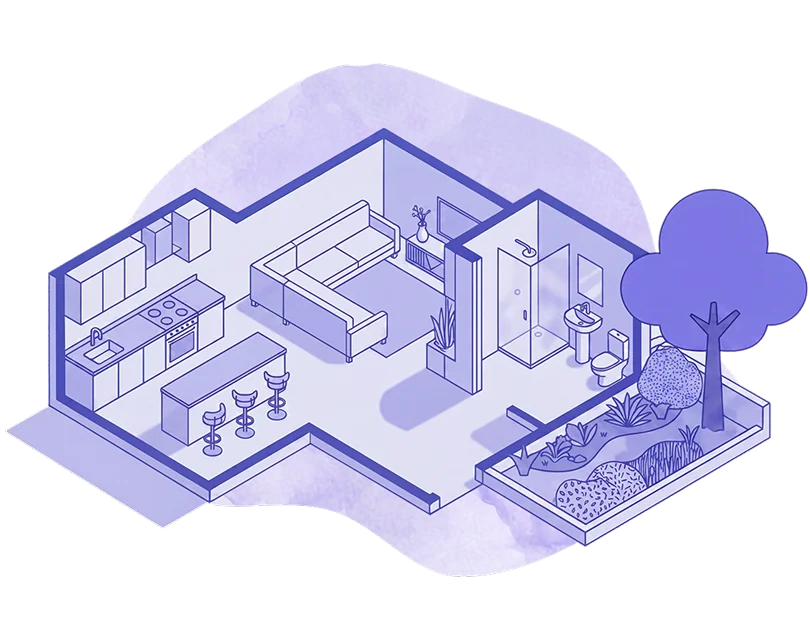
 Bars and restaurants
 Hotels, inns, cabins and Airbnb
 Hospitals, clinics, doctor's offices and pharmacies
 Malls, stores and retail businesses in general
 Museums, theaters, libraries and stadiums
 Tourist attractions
 Offices and industrial facilities
 Universities, colleges and schools
 Buildings and public venues
 Commercial establishments in general
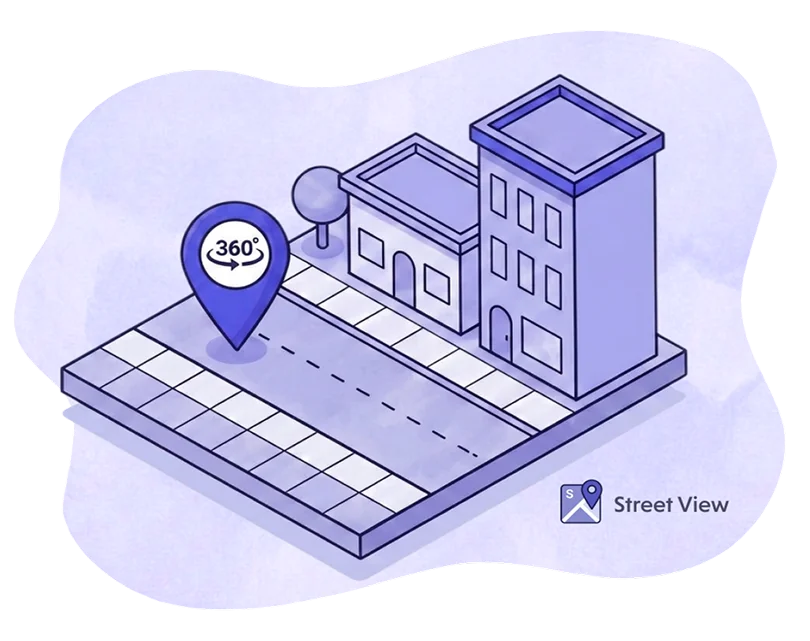
 Google Maps and Street View
 360 tours for architecture
 360 tours for hotels, inns and Airbnb
 360 tours for tourism
 360 tours from aerial photography (drones)
 Training and capacity building